POS vs. Full Business Management System: What’s the Difference?
What a point-of-sale system actually covers, where it stops, and how to tell when your business needs a full business management system instead.
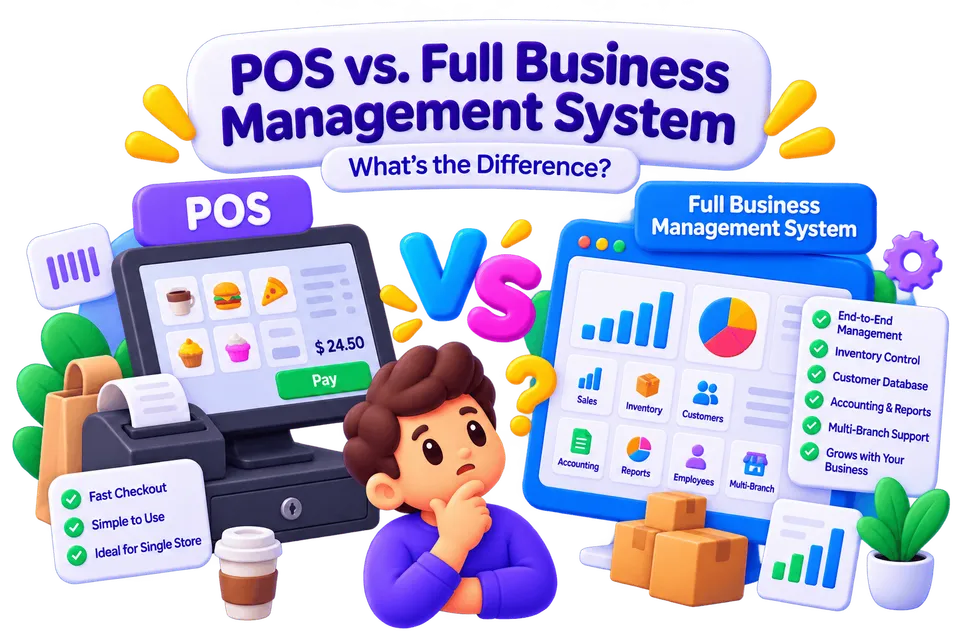
A point-of-sale system and a business management system get talked about as if they’re competing products, but they’re really solving different-sized problems. Knowing where one ends and the other begins helps you avoid both overpaying for capability you don’t need and underbuying for a problem you actually have.
What a POS is actually built for
A POS system exists to handle a transaction: ring up a sale, take a payment, print or send a receipt. Good ones also track basic stock levels and daily sales. That’s a well-defined, valuable job — and for a single-location business with simple operations, it may genuinely be all you need.
Where POS coverage runs out
A POS generally doesn’t manage staff scheduling and attendance, doesn’t coordinate inventory across multiple locations or a warehouse, doesn’t handle bookings or memberships, and doesn’t give management a single operational view across everything happening in the business. Once you need any of those, you’re either bolting on separate tools next to your POS, or you need a system that was designed to cover all of it together.
What a full business management system adds
A business management system typically includes POS-level sales functionality as one piece of a larger platform that also covers inventory, staff, multi-location operations, customer relationships and reporting — all reading from the same data. It answers not just "what did we sell today" but "how is the whole business running."
A simple way to decide
If your business operates from one location with straightforward transactions, a good POS is probably the right amount of software. If you’re coordinating multiple locations, managing staff schedules and inventory alongside sales, or spending time manually combining reports from separate tools, that’s the point where a full business management system starts paying for itself.
Frequently asked questions
What is a POS system actually built for? +
Handling a transaction — ringing up a sale, taking a payment, printing or sending a receipt. Good ones also track basic stock levels and daily sales.
Where does POS coverage run out? +
A POS generally doesn’t manage staff scheduling and attendance, doesn’t coordinate inventory across locations or a warehouse, doesn’t handle bookings or memberships, and doesn’t give a single operational view across the business.
What does a full business management system add over a POS? +
POS-level sales functionality as one piece of a larger platform that also covers inventory, staff, multi-location operations, customer relationships and reporting — all reading from the same data.
How do I decide which one my business needs? +
If you operate from one location with straightforward transactions, a good POS is probably enough. If you’re coordinating multiple locations, staff schedules and inventory alongside sales, a full business management system starts paying for itself.
Related reading
Got an app, website or game in mind?
Tell us what you're building. We'll shape the right team and the right solution around your goals.
Start a project